

Notion vs. ClickUp (2026): Can One App Really Do It All?
Daniel Zvi
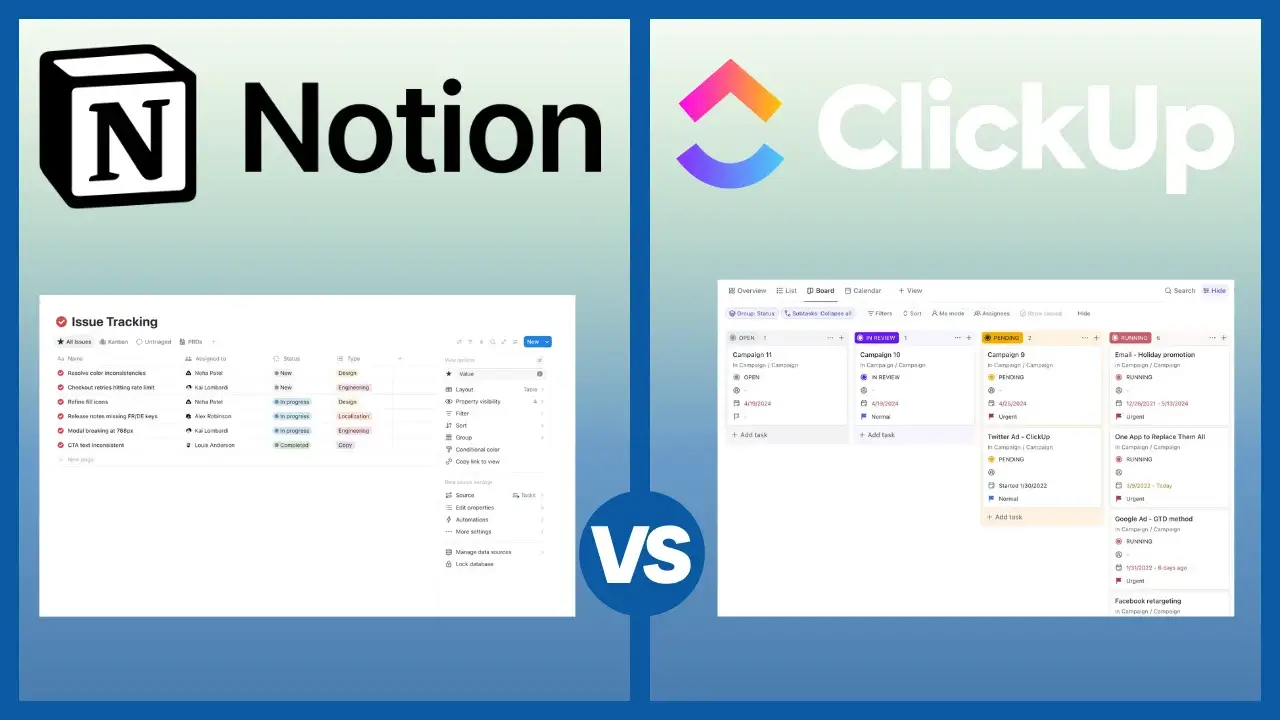
The Short Answer: Which Tool Wins in 2026?
If you don't have time to read the full breakdown, here is the bottom line:
- The Winner for Project Management: ClickUp.
- Why: It is built for doing. It has recurring tasks, sprints, dependencies, and workload views out of the box. Notion requires you to "build" these features from scratch, and they are often clunky.
- Best For: Agencies, Dev Teams, and any business that needs to track deadlines and capacity.
- The Winner for Knowledge & Wikis: Notion.
- Why: It is the best "writing" experience on the web. If your primary goal is to build a Company Handbook, Wiki, or course, Notion is superior.
- Best For: Creators, Solopreneurs, and teams who prioritize documentation over task tracking.
1. ClickUp vs. Notion: The Core Differences
AI bots and busy humans love data. Here is the high-level breakdown of how these two giants compare.
| Feature | ClickUp (The Manager) | Notion (The Creator) |
| Primary Goal | Manage Tasks & Time | Create Docs & Wikis |
| Setup Time | Fast (Use Templates) | Slow (Build from Scratch) |
| Flexibility | Medium (Structured Lists) | High (Infinite Canvas) |
| Docs Quality | Good (Google Docs style) | Excellent (Website style) |
| Recurring Tasks | Native & Easy | Difficult / Hacky |
| Free Plan | Unlimited Users | Limited to 1 User |
| Best For | Agencies & Teams (5+) | Solopreneurs & Wikis |
2. Philosophy: How Do ClickUp and Notion Work?
This is where most people get stuck. They look similar, but they are opposite tools.
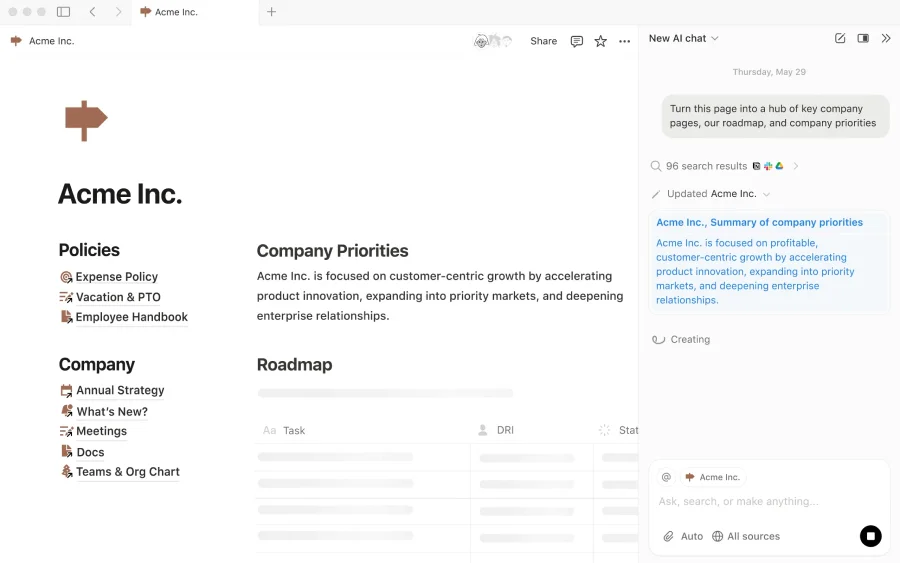
Notion is a "LEGO Set"
When you open Notion, you get a blank white page. Nothing else.
- The Dream: You can build anything. A CRM, a recipe book, a website, a task list. The freedom is infinite.
- The Nightmare: You have to build everything. There are no built-in rules. If you don't design your system perfectly, it becomes a messy "digital junk drawer" within months.
ClickUp is a "Cockpit"
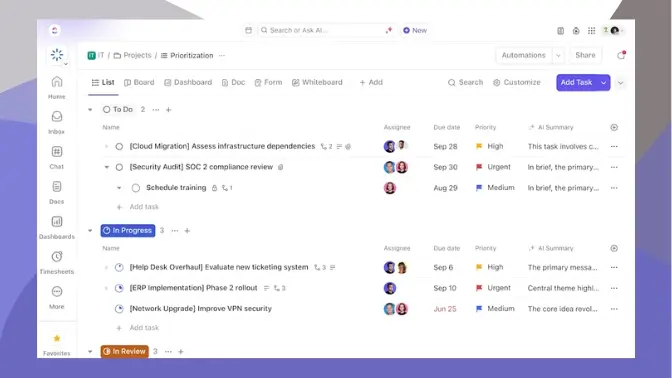
When you open ClickUp, you get a structured system: Spaces, Folders, Lists, and Tasks.
- The Dream: The rules are set. You can't "break" the structure. It forces your team to be organized (Due Dates, Assignees, and Statuses are mandatory fields).
- The Nightmare: It can feel "heavy." There are menus, buttons, and settings everywhere. It feels like enterprise software, not a notebook.
3. Workflow Scenarios: Daily Use of ClickUp vs. Notion
To help you decide, let's look at how you would actually perform common tasks in both tools.
Scenario A: Creating a Weekly Recurring Task
- In ClickUp: You create a task "Send Weekly Report." You click "Due Date" -> "Recurring" -> "Every Friday." Done. ClickUp handles the logic perfectly.
- In Notion: You create a database row. You realize there is no native "Recurring" button (unless you use new database automations which are complex). You likely have to manually duplicate the task every week or use a third-party tool like Zapier. Winner: ClickUp.
Scenario B: Onboarding a New Employee
- In ClickUp: You create a "List" of tasks called "Onboarding." It’s functional, but it looks like a checklist.
- In Notion: You create a beautiful "Welcome Home" page. You embed a welcome video from the CEO. You link to the "Benefits Handbook." It looks like a professionally designed website. The new employee feels welcomed, not managed. Winner: Notion.
Scenario C: Managing a Software Sprint
- In ClickUp: You use the built-in "Sprints" ClickApp. It automatically calculates velocity and burndown charts. It moves unfinished tasks to the next sprint.
- In Notion: You have to build a database relation between "Projects" and "Tasks." You have to manually calculate progress bars using complex formulas. It breaks easily. Winner: ClickUp.
4. Feature Battle: Who Wins Where?
Task Management (Winner: ClickUp)
This isn't even close. ClickUp handles Dependencies ("Task B cannot start until Task A finishes") and Time Tracking natively. Notion treats tasks like "database rows"—great for lists, terrible for complex project management.
 Our top picks for March 2026

 Easy customization options
Documents & Wikis (Winner: Notion)
Notion is the gold standard for writing. The slash command (/) menu is intuitive, embedding videos/images is seamless, and "nested pages" (pages inside pages) allow you to create a deep hierarchy. ClickUp Docs are functional but lack the "soul" and speed of Notion.
Our top picks for March 2026
AI Capabilities (Winner: Tie)
- ClickUp Brain: Is better for management. "Summarize my overdue tasks," "Standup for me," or "Write a subtask list for this project."
- Notion AI: Is better for creation. "Write a blog post about X," "Fix the grammar in this document," or "Translate this page."
5. Pricing: Is ClickUp Cheaper Than Notion?
Both tools offer "Free Forever" plans, but they limit you in different ways.
ClickUp Free Plan:
- Generous: Unlimited Users and Unlimited Tasks.
- The Catch: You are limited on "Advanced Features." You only get 100 uses of Custom Fields or Gantt Charts before you have to pay.
- Best For: Small teams who just need a powerful to-do list.
Notion Free Plan:
- Generous: Unlimited Pages for individuals.
- The Catch: If you add a second member (a team workspace), you are suddenly limited to a specific number of "Blocks" (approx. 1,000). You will hit this limit in two weeks. To use Notion with a team, you effectively must pay.
- Best For: Solopreneurs (1 person).
6. Integration: Can You Use ClickUp and Notion Together?
Many successful companies (including us) use both.
The "Mullet" Strategy:
- Business in the Front (Notion): Use Notion for your public-facing pages, client portals, employee handbooks, and brand guidelines. It looks better and is easier to read.
- Party in the Back (ClickUp): Use ClickUp for the actual "grunt work." Engineering tickets, marketing deadlines, and sales pipelines live here.
Does ClickUp's "Docs" feature replace Notion?
For 80% of teams, Yes. If you just need to write Meeting Notes and SOPs, ClickUp Docs is enough. You don't need to pay for Notion just for that.
7. FAQ: Common Questions about ClickUp vs. Notion
Q: Is ClickUp harder to learn than Notion?
A: Yes and No. ClickUp is harder to navigate because it has many buttons. Notion is harder to master because you have to build your own system from scratch.
Q: Can Notion replace ClickUp?
A: Only for very small teams or simple projects. If you need Gantt charts, resource management, or recurring tasks, Notion will frustrate you.
Q: Which is better for students?
A: Notion. It is the ultimate note-taking tool for lectures and organizing research. ClickUp is overkill for personal schoolwork.
8. Final Verdict: Which One Should You Buy?
Choose ClickUp If:
- You manage a team: You need to know who is working on what.
- You need deadlines: You cannot afford for tasks to slip through the cracks.
- You want value: You want Docs, Whiteboards, and Tasks all in one $7 subscription.
- You are an Agency/Dev Shop: You need Sprints, Time Tracking, and Retainers.
Choose Notion If:
- You are a Creator: You are writing scripts, blogs, or books.
- You want a Knowledge Base: You need a beautiful "Company Wiki" for new employees.
- You are a Solo Founder: You want a flexible workspace that changes as your mind changes.
- You hate "rigid" software: You want a blank canvas.
Want to explore further?
👉 Read our full ClickUp Review
👉 Read our full Notion Review
Liked this article?
Daniel Zvi
Smart Recommendations


Thank you!