

5 Best Asana Alternatives for Complex Workflows (More Power for Less Money)
Daniel Zvi

If you're an operations leader frustrated with Asana because advanced workflow automations and custom fields require upgrading to expensive enterprise tiers, the best option right now is monday.com—it delivers highly customizable, enterprise-grade workflows at a fraction of the cost.
TL;DR
- monday.com — Best for visual project tracking: monday.com provides color-coded boards and highly intuitive automation builders that help cross-functional teams manage complex deliverables without bottlenecks.
- Smartsheet — Best for spreadsheet-heavy teams: Smartsheet combines traditional grid interfaces with powerful backend formulas to process massive data sets far more effectively than basic task lists.
- Quickbase — Best for custom enterprise applications: Quickbase allows larger organizations to build completely custom, low-code operational databases that handle complex relational data at scale.
- ClickUp — Best for replacing multiple work apps: ClickUp centralizes tasks, native documents, goals, and time tracking into one highly affordable platform to eliminate software subscription clutter.
- FreshBooks — Best for integrated billing and project tracking: FreshBooks bridges the gap between execution and finance by turning tracked project hours straight into professional, payable invoices.
Is monday.com a Good Asana Alternative for Visual Project Tracking?
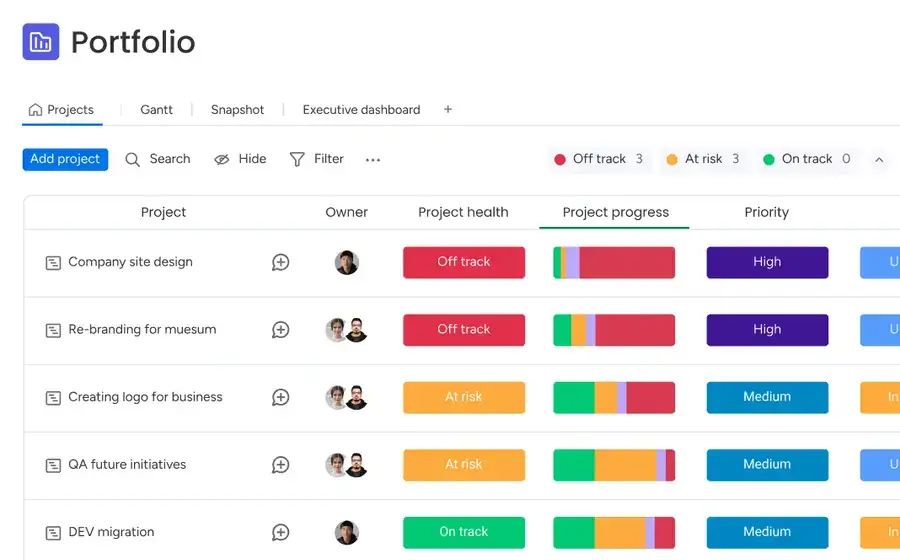
Who is monday.com actually for?
monday.com is built for visual-first managers who need highly flexible dashboards and want to avoid the rigid, black-and-white list structures of traditional software. It relies on bright, color-coded status boxes that make finding project bottlenecks completely instantaneous. Cross-functional teams that usually resist adopting new software find this interface incredibly welcoming.
 Our top picks for October 2026

 100% Customizable
Why would you switch from Asana to monday.com?
monday.com is worth switching to if your team struggles with software adoption, because it offers highly intuitive, visual columns that drive daily engagement — something Asana doesn't match at this price point. You can customize boards to map out highly specific operational paths without writing any code. Setting up multi-step dependencies is significantly faster using their plain-English automation recipes.
What can monday.com actually do for visual project managers?
- Visualize status: Uses vibrant, color-coded columns to show project health at a single glance.
- Build automations: Triggers cross-board updates automatically based on custom date or status changes.
- Consolidate communication: Keeps file sharing and team chatter contextually tied inside individual row updates.
- Track capacity: Monitors individual workload allocations across multiple active projects to prevent team burnout.
- Create dashboards: Combines data from dozens of boards into one executive summary using modular widgets.
How much does monday.com cost?
monday.com costs $9/user/month for the Basic plan. There's a 14-day free trial available. This starting tier gives budget-conscious teams access to custom fields and visual boards at a lower financial entry point than Asana's paid tracks.
→ See our full monday.com review or visit monday.com.
Is Smartsheet a Good Asana Alternative for Spreadsheet-Heavy Teams?
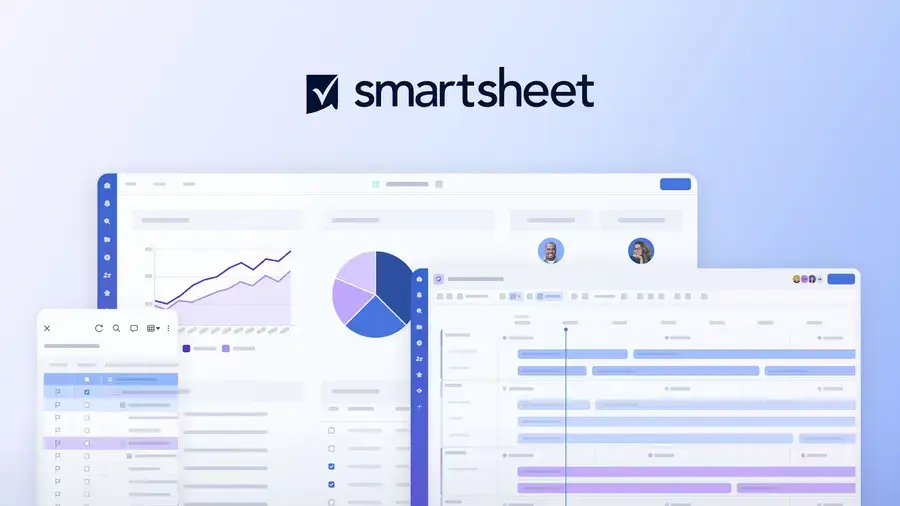
Who is Smartsheet actually for?
Smartsheet is built for data-driven coordinators who need deep mathematical functionality and want to avoid the analytical limitations of standard Kanban boards. It looks and feels like a supercharged version of Microsoft Excel, blending familiar grid rows with modern automation engines. Operations teams dealing with massive, tightly linked data inventories thrive using this layout.
Our top picks for October 2026

Why would you switch from Asana to Smartsheet?
Smartsheet is worth switching to if you run data-heavy operations, because it embeds cell-level formulas and cross-sheet references directly into your project sheets — something Asana doesn't support natively. You can perform complex calculations across entirely separate business departments effortlessly. Granular row-by-row activity histories also provide an unalterable audit trail for strict operational compliance.
What can Smartsheet actually do for data-driven project managers?
- Calculate live metrics: Runs advanced math formulas seamlessly across individual project rows and tracking columns.
- Collect data cleanly: Uses automated web forms to feed external submissions straight into active grids.
- Manage enterprise resources: Allocates staff hours across hundreds of complex, simultaneous corporate projects.
- Automate sign-offs: Routes critical approval requests to department heads based on grid value triggers.
- Lock data access: Secures sensitive corporate information using highly specific, cell-level permission controls.
How much does Smartsheet cost?
Smartsheet costs $9/user/month for the Pro plan. There's a 30-day free trial available. It provides substantially more raw computational and data sorting power per dollar than Asana's mid-tier configurations.
→ See our full Smartsheet review or visit Smartsheet.
Is Quickbase a Good Asana Alternative for Custom Enterprise Applications?
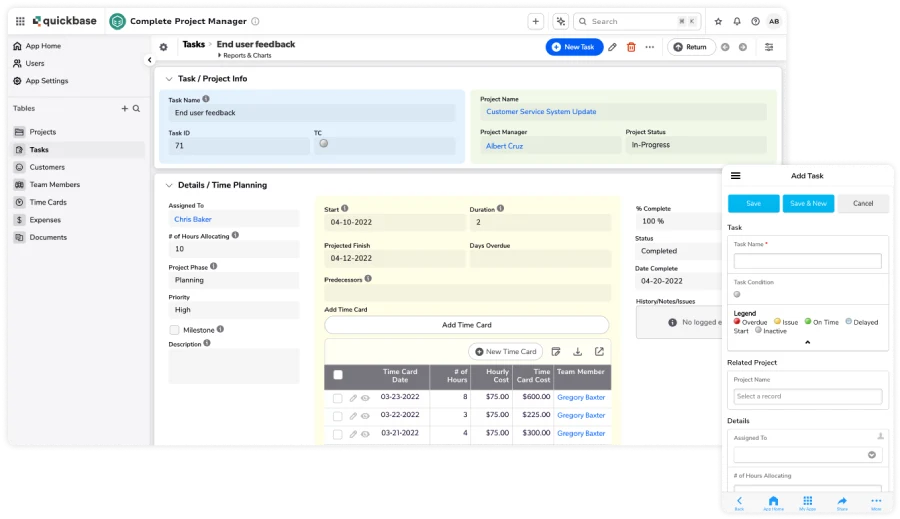
Who is Quickbase actually for?
Quickbase is built for enterprise operations directors who require completely custom software architecture and want to avoid restrictive, cookie-cutter platform limits. It operates as a robust low-code ecosystem rather than a basic task tracking tool. Large organizations rely on it to govern intricate workflows like global supply chains or massive multi-million dollar property portfolios.
Our top picks for October 2026

Why would you switch from Asana to Quickbase?
Quickbase is worth switching to if standardized project templates break your internal workflows, because it allows you to construct bespoke relational databases without writing code — something Asana doesn't offer. You possess complete authority over table connections, data modeling, and specialized user roles. It scales to handle millions of records without a single drop in platform performance.
What can Quickbase actually do for enterprise operations directors?
- Design custom apps: Constructs custom business software modules completely visually without relying on engineering teams.
- Unify disparate systems: Syncs siloed corporate databases into one centralized, operational source of truth.
- Execute complex logic: Triggers intricate, multi-departmental workflow actions sequentially across the enterprise.
- Generate executive reports: Creates high-level, real-time operational insights for immediate compliance monitoring.
- Enforce IT governance: Employs enterprise-grade security controls that satisfy rigid corporate compliance standards.
How much does Quickbase cost?
Quickbase costs $35/user/month for the Team plan. There's a 30-day free trial available. While it demands a higher investment than Asana, it eliminates the immense overhead costs associated with hiring dedicated software development agencies.
→ See our full Quickbase review or visit Quickbase.
Is ClickUp a Good Asana Alternative for Replacing Multiple Work Apps?
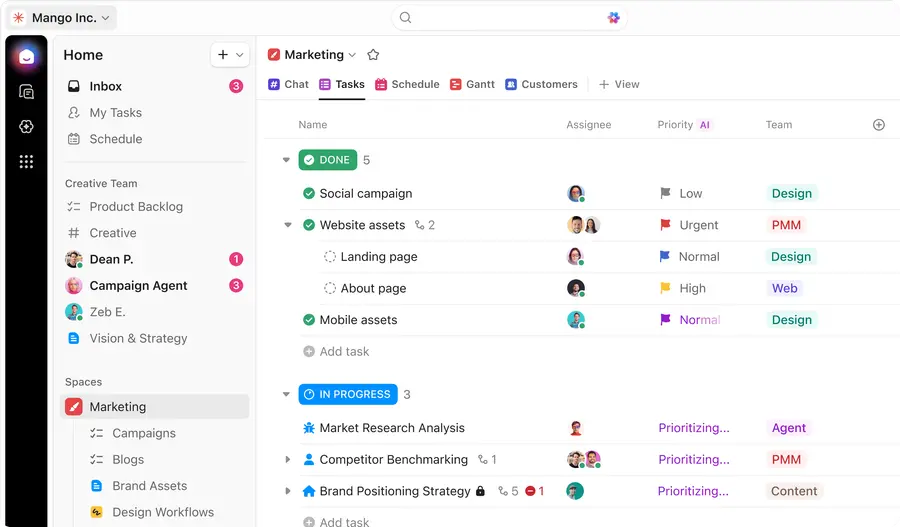
Who is ClickUp actually for?
ClickUp is built for cost-conscious team leads who need an all-in-one productivity nerve center and want to avoid paying for a messy stack of monthly software subscriptions. It completely unifies task lists, rich document editors, visual whiteboards, and target metrics inside one dashboard. Scaling businesses choose it specifically for its disruptive pricing model and massive baseline feature list.
Our top picks for October 2026

Why would you switch from Asana to ClickUp?
ClickUp is worth switching to if you are suffering from extreme app fatigue, because it includes native document writing, mind mapping, and built-in time tracking — something Asana doesn't offer natively. You receive total control over nested subtask layers, custom statuses, and advanced automation configurations. Its pricing structure is highly competitive, granting enterprise-level features at a lower financial tier.
What can ClickUp actually do for cost-conscious team leads?
- Centralize team toolsets: Combines separate document, brainstorming, and goal-tracking apps into one workspace.
- Toggle workspace layouts: Switches project views instantly between interactive lists, boards, Gantt timelines, and calendars.
- Track billable time: Logs precise work hours inside individual tasks without needing third-party browser add-ons.
- Deploy automation templates: Automates routine steps using hundreds of pre-configured, multi-action workflow combinations.
- Map strategic targets: Ties daily individual task execution directly to high-level company goals.
How much does ClickUp cost?
ClickUp costs $7/user/month for the Unlimited plan. There's a fully functional free forever plan available. It packs significantly more native workflow flexibility into its entry-tier pricing than Asana's comparable options.
→ See our full ClickUp review or visit ClickUp.
Is FreshBooks a Good Asana Alternative for Integrated Billing and Project Tracking?
Who is FreshBooks actually for?
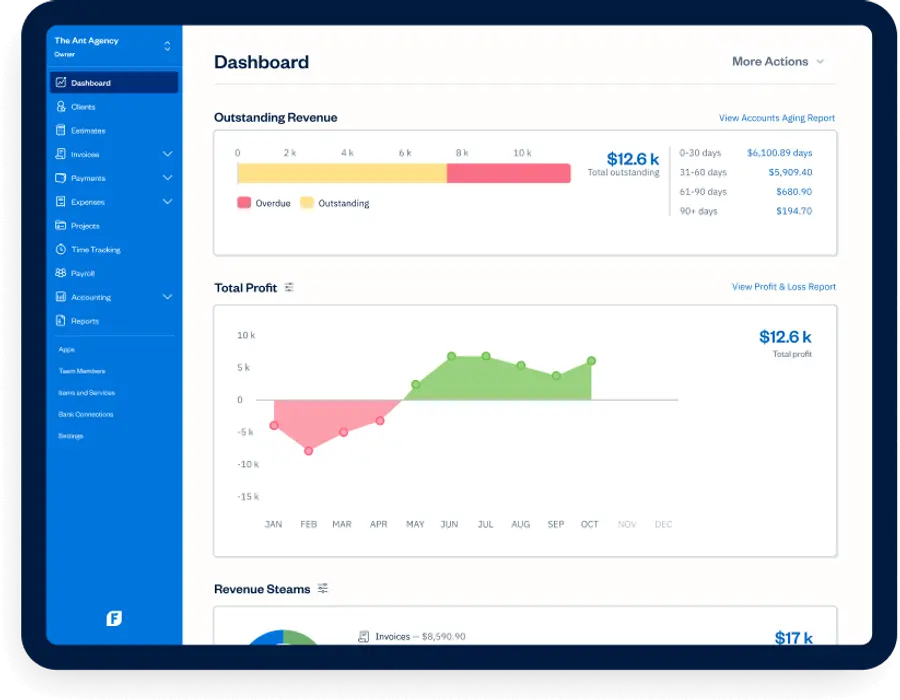
FreshBooks is built for independent service professionals and agencies who need seamless time-to-invoice tracking and want to avoid disjointed financial bookkeeping. Although it is primarily known as robust accounting software, it features highly capable project collaboration zones. It bridges the gap between running daily project tasks and actually getting paid by clients.
Our top picks for October 2026

Why would you switch from Asana to FreshBooks?
FreshBooks is worth switching to if tracking billable hours dictates your daily success, because it transforms logged project minutes into polished client invoices with one click — something Asana doesn't offer. This removes the slow, error-prone step of copying timesheet data into an external billing portal manually. Clients can collaborate and approve initial cost estimates right where the actual work happens.
What can FreshBooks actually do for freelancers and service businesses?
- Log work hours: Captures exact project time against client accounts using built-in desktop and mobile timers.
- Issue instant invoices: Builds and sends professional, customizable client invoices filled with logged project data.
- Host client portals: Provides a secure space for clients to view project updates and clear outstanding invoices.
- Organize project costs: Scans physical receipts via mobile camera and assigns expenses directly to job budgets.
- Share team files: Allows internal personnel and external stakeholders to exchange project documents centrally.
How much does FreshBooks cost?
FreshBooks costs $19/month for the Lite plan. There's a 30-day free trial available. For service outfits that require strict bookkeeping alongside basic task tracking, it replaces the cost of buying both Asana and an accounting program.
→ See our full FreshBooks review or visit FreshBooks.
Which Asana alternative offers the most advanced features for the lowest price?
| Alternative | Best For | Starting Price | Advanced Automation Capabilities | Free Trial? |
| monday.com | Visual project tracking | $9/user/month | Plain-English recipe-based workflow automations | Yes |
| Smartsheet | Spreadsheet-heavy teams | $9/user/month | Advanced cell-level calculations and sheet links | Yes |
| Quickbase | Custom enterprise apps | $35/user/month | Relational no-code application logic building | Yes |
| ClickUp | Replacing multiple apps | $7/user/month | Multi-step triggers across documents and tasks | Yes |
| FreshBooks | Integrated billing | $19/month | Instant workflow-to-invoice financial transformations | Yes |
Frequently Asked Questions
Q: Can ClickUp import my data directly out of Asana?
A: ClickUp includes a native, automated import utility engineered to pull your Asana teams, tasks, milestones, and custom tags over instantly. The entire data migration process typically finishes in under five minutes and matches your legacy Asana data structure to ClickUp spaces accurately.
Q: Are these alternative platforms genuinely cheaper than Asana over time?
A: Yes, platforms like ClickUp and monday.com provide significantly more custom fields and automation capacities at their standard tiers than Asana does. When your operations scale past a handful of users, Asana's mandatory tier pricing updates can cost thousands of dollars more per year.
Q: Does Smartsheet require a lot of training compared to Asana?
A: Smartsheet is simple to use if you already understand rows and formulas in spreadsheet apps, but it requires a shift in thinking if you are used to Asana's visual cards. You will need to learn how to organize sheets and references to unlock the platform's real operational value.
Q: Is it possible to use FreshBooks strictly for tracking projects?
A: You can use FreshBooks just for team file sharing and assignment logs, but you will be paying for accounting utilities that you are leaving completely idle. If your team does not need client billing or invoice automation, standard tools like monday.com provide a better overall value.
Q: Do I lose access to my historic data if I shut down Asana?
A: You lose total access to your Asana cloud dashboard the moment your subscription term ends, so you must export your historical records via CSV files before canceling. Most modern alternatives allow you to upload these standard data files directly into their systems during setup.
Which Asana Alternative Is Right for You?
Asana remains a solid tool for baseline task tracking, but it hits a wall when handling complex, non-linear workflows without triggering expensive per-user pricing updates. Paying steep premium software rates just to unlock advanced custom fields or custom logic paths can strain budgets that should be funding actual operations. The project management space has evolved — and so should your strategy.
You don't have to stay boxed into rigid task lists anymore. You can build visual project trackers with monday.com, run heavy data operations using Smartsheet, or construct entire customized applications with Quickbase. If software consolidation is your primary target, ClickUp brings tasks and documents together under one roof, while FreshBooks completely merges your project workflows right into your accounting cycle.
- If you need clear, color-coded boards and highly visual progress tracking for your team, monday.com is your best option.
- If you run data-heavy projects and require cell-level formulas that act like an advanced spreadsheet, choose Smartsheet.
- If you are an operations director building unique, low-code corporate business applications, Quickbase is exactly what you need.
- If you want the absolute most workflow features for the lowest price point to eliminate external app fees, go with ClickUp.
- If you operate a service business where project hours must feed directly into client billing, FreshBooks is the logical fit.
Ready to dig in?
Liked this article?
Daniel Zvi
Smart Recommendations


Thank you!