


 User-friendly interface makes it easy to navigate for all users
 Pricing requires a minimum of three users per plan


 Hosting & backend's built-in automatically


Running a small business in Australia or New Zealand means juggling priorities, jobs, and deadlines every day. Without a reliable system to manage your tasks, things slip through the cracks—missed calls, delayed follow-ups, forgotten invoices.
That’s where the right to-do list app can make all the difference. Whether managing solo workflows or coordinating across a dispersed team, the best task management apps help you stay focused, productive, and in control.
In this guide, we’ll break down the key benefits of using a digital to-do list, the features to look for, and how to choose the right app for your business.

Why a To-Do List App Is a Game-Changer for SMEs
A simple paper checklist might work for a grocery run, but running a business demands more. The best to-do list apps do more than just list tasks—they organise your day, track your progress, and help you stay accountable. Here’s how they make a real impact:
1. Stay Organized with Smart Task Management
Modern task apps let you break projects into actionable steps, assign due dates, and prioritise what matters most. Whether you’re tracking client work, admin days, or site visits, a digital to-do list keeps everything in one place. Some apps offer features like checklist templates, recurring tasks, and AI-powered suggestions to streamline planning.
2. Boost Productivity with Custom Workflows
Every SME has a unique rhythm. A flexible to-do app lets you customise workflows that match how you operate. Want a template for your monthly BAS prep? Or recurring checklists for onboarding new clients? The best tools support it all.
3. Collaborate Without the Chaos
If you work with a team—even a small one—you need a way to delegate and track progress. The right checklist app lets you assign tasks, comment, share files, and keep communication centralised. Say goodbye to endless email chains and “Did you finish this?” messages on Slack or Microsoft Teams.
4. Work Anywhere with Online Access
Running a business often means working from the road, a client site, or a home office. A cloud-based checklist ensures your tasks sync across devices. You can plan your week from your desktop in the office, then tick things off from your mobile while out on a job.

Top-Rated To-Do List Apps
Cost Guide: How Much Should You Pay?
Pricing for task management software varies, and for ANZ businesses, the “USD trap” is real.
- Free Tiers: Excellent for solo operators. Apps like Todoist or Trello offer robust free plans that handle basic lists and reminders perfectly.
- Premium Plans: Expect to pay AUD $6–$15 per user/month. This unlocks features like unlimited history, file uploads, and reminders.
- Currency Warning: Many popular apps (like Todoist or Asana) may bill in USD. Always check if you are paying in local currency to avoid fluctuating costs and bank transaction fees.
 Our top picks for April 2026
 9.8
9.8

 100% Customizable
Must-Have Features in a To-Do List App
Not all apps are created equal. Here are the features every small business owner should look for:
- Task Creation & Templates: Quickly create tasks, subtasks, or use pre-built templates for repeated processes (like “New Client Onboarding”).
- Collaboration Tools: Share lists with team members, delegate tasks, and comment in real time.
- Automations & AI Assistance: Save time with AI-generated tasks or smart scheduling. Some apps even offer an “AI to-do list” feature that prioritizes your day for you.
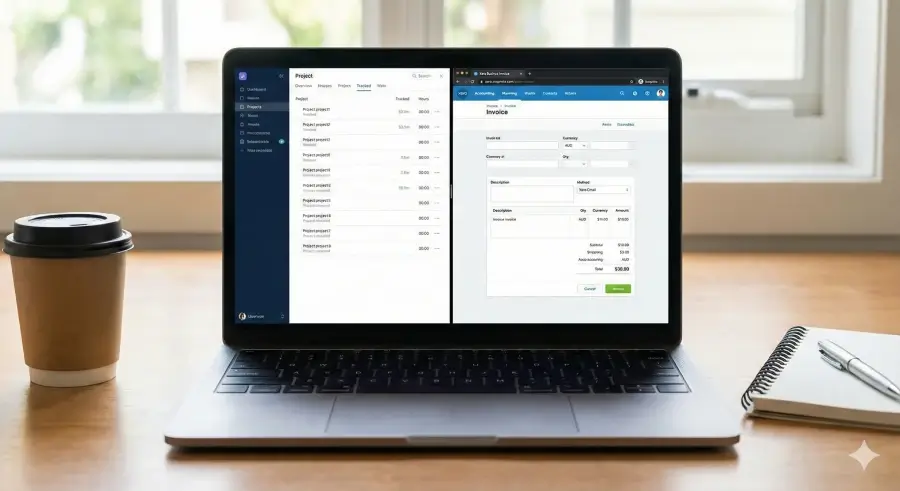
- Xero & Calendar Integration: Connect with your existing tools. Syncing completed tasks to Xero for billing or Google Calendar for scheduling is a massive time-saver.
- Mobile & Desktop Access: Manage your list anywhere. A strong mobile app is non-negotiable for tradies and consultants.
Is Your Data Safe? (Privacy & Security)
Even for simple to-do lists, data privacy matters under the Australian Privacy Principles (APPs).
- Cloud Security: Ensure your chosen app uses encryption (TLS/SSL) for data in transit.
- Two-Factor Authentication (2FA): Always enable 2FA. This is the single most effective way to protect your business data if a password is compromised.
- Data Location: While smaller to-do apps may not have Aussie servers, checking for GDPR or SOC2 compliance is a good benchmark for security standards accepted in Australia.
Best To-Do Apps by Industry
One size does not fit all. Here is a quick guide to what your industry peers are likely using:
- Tradies & Field Services: Look for mobile-first apps with “offline mode” so you can tick off jobs even without a signal.
- Consultants & Freelancers: Apps with time-tracking integrations are key. You need to know exactly how long a task took so you can bill for it accurately.
- Creatives & Agencies: Visual tools (like Kanban boards) are often better than simple lists, helping you see where a design or campaign sits in the pipeline.
Choosing the Right To-Do List App for Your Needs
The best app for you depends on how you work. Here’s a quick breakdown:
- Solo Entrepreneurs: Look for a simple app with fast task entry, natural language (e.g., type “Call John Friday at 2pm”), and calendar sync.
- Small Teams: Prioritize apps with collaboration, file sharing, and shared checklists.
- Process-Heavy Businesses: Use apps with templates, automations, and integrations with tools you already use.
- AI-Focused Users: If you’re tech-savvy, try an AI task manager that auto-suggests next steps or sorts your day by priority.
Our top picks for April 2026
Frequently Asked Questions
Q. What is the best free to-do list app for a small business?
A. For many small businesses, Todoist and Microsoft To Do are top choices. They offer generous free plans that include recurring tasks and simple sharing, which is often enough for a team of 1–3 people.
Q. Can I link my to-do list to Xero?
A. Yes, but usually via an integration tool like Zapier. For example, you can set it up so that completing a task in Todoist or Trello automatically creates a draft invoice in Xero. This is great for billing client hours.
Q. Is a desktop app better than a web browser version?
A. Generally, yes. Desktop apps (for Mac or Windows) often support offline mode and keyboard shortcuts, which makes adding tasks much faster. However, cloud-based web apps ensure your data is always synced to your phone.
Q. What is an AI checklist generator?
A. This is a newer feature in apps like Motion or ClickUp. You simply type a goal (e.g., “Onboard new client”), and the AI automatically generates a complete checklist of subtasks for you, saving you the effort of building it from scratch.
